Seating Zone
Evaluate chair height, back support, armrest alignment, and seat depth relative to your body proportions.
A structured walkthrough for reviewing and adjusting the key elements of your workspace — from seating and surfaces to equipment placement and daily movement flow.
How It Works
Workspace analysis is most effective when approached layer by layer — starting with foundational elements and building toward fine-tuned adjustments.
Before making changes, document how your workspace is currently configured. Note what feels comfortable and what creates difficulty during typical tasks.
Evaluate your seating area, primary work surface, visual zone (monitor), and reach zones (keyboard, mouse, phone, notebook) as distinct elements.
Not every adjustment has equal effect. Focus first on the elements that affect your most frequent postures and movements — usually seating and monitor position.
Make one change at a time and allow a few days of use before assessing its effect. Layering changes gradually makes it easier to understand which adjustments matter most.
Workspace conditions change with seasons, new equipment, and shifts in task type. A regular review — every few months — keeps the setup aligned with your current context.
Analysis Zones
Each zone represents a distinct area of your setup that can be reviewed and refined independently.
Evaluate chair height, back support, armrest alignment, and seat depth relative to your body proportions.
Review desk height, surface depth, item placement, and whether the layout supports your primary task flow.
Assess monitor height, distance, tilt, and how the screen's position relates to your natural resting gaze angle.
Evaluate keyboard position, mouse placement, and the location of frequently accessed items in relation to your resting arm position.
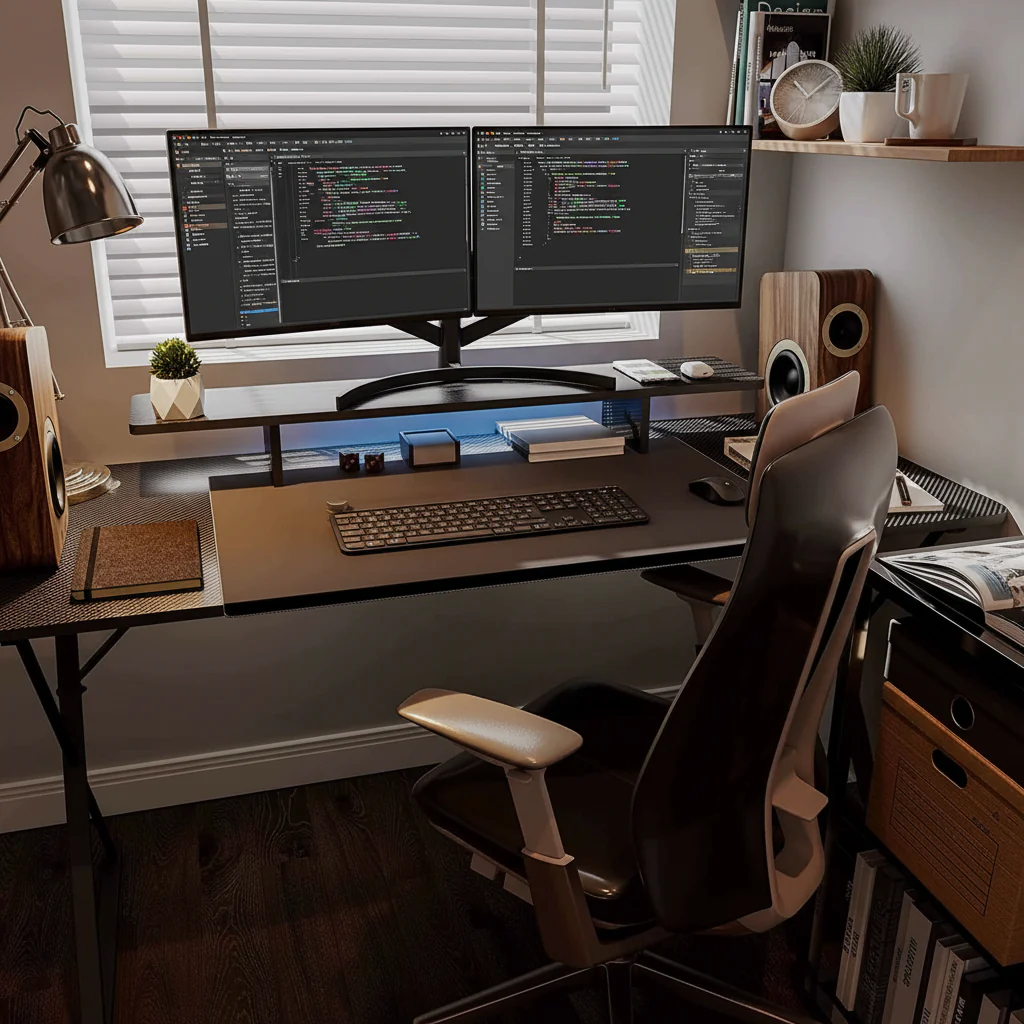
Visual Reference
This diagram illustrates how a typical desk setup can be reviewed across distinct zones — each contributing to the overall quality and comfort of your workspace.
Read the GuideMovement Patterns
How ergonomics fits into your everyday routine — structuring work and movement in a way that feels natural rather than prescribed.
A brief moment to confirm your chair position, monitor height, and input device placement before beginning focused work.
Standing, walking briefly, or performing light movement — breaking continuous seated time and creating variety in your physical posture.
A longer break away from the desk — valuable for resetting your focus, posture, and movement before the second half of the workday.
Close out tasks, note any setup elements that felt off during the day, and return the workspace to its baseline configuration for tomorrow.