01
Sitting Posture & Positioning
Reviewing chair height, back support alignment, and the relationship between your body and the work surface — building a stable, neutral foundation.
A structured approach to reviewing sitting posture, desk arrangement, and daily movement patterns — helping you create a more thoughtful, comfortable work environment.
Three Directions
Each direction addresses a distinct layer of your daily work environment — from how you sit, to how you move throughout the day.
Reviewing chair height, back support alignment, and the relationship between your body and the work surface — building a stable, neutral foundation.
Evaluating monitor distance and height, keyboard and mouse placement, and the overall spatial logic of your work surface to reduce unnecessary strain.
Understanding how you transition between focused work and rest, and how regular micro-adjustments and movement integrate naturally into your schedule.
Quick Self-Assessment
Select the option that best reflects your current workspace condition to get a contextual starting point.
Visual Overview
Workspace analysis looks at each element of your setup as part of an interconnected system — from furniture proportions to lighting conditions and equipment placement.
Start Setup Analysis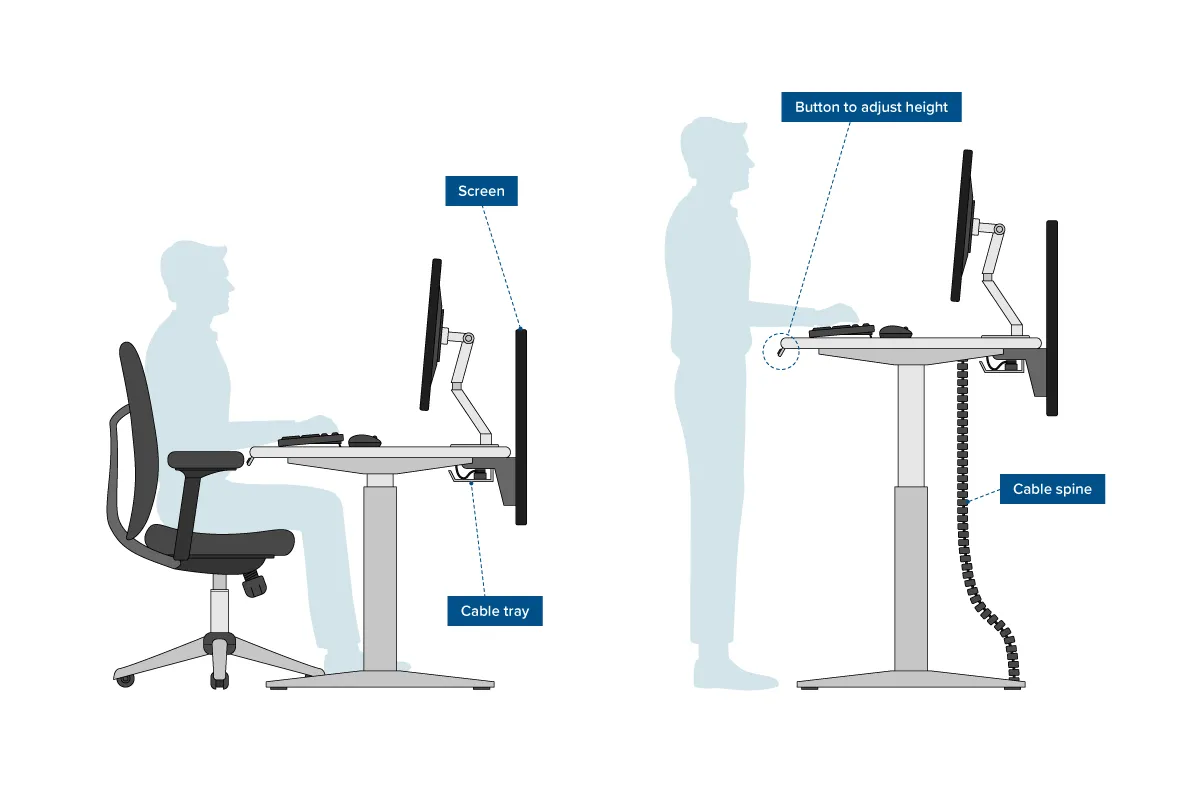
Key Concepts
These are the practical elements reviewed during a workspace evaluation.
Seat height, back support angle, armrest level — all adjusted to support a neutral sitting posture throughout the workday.
Screen distance, top-of-display height, and tilt angle — positioned to allow relaxed neck and eye focus over extended periods.
Keyboard and mouse position in relation to elbow height and shoulder alignment — reducing reaching and repetitive tension.
Natural and artificial light sources relative to screen position — minimizing glare and supporting a comfortable visual environment.
Structuring transitions between seated work, standing, and short movement breaks — supporting sustained focus and physical variety.
Desk depth, elbow room, floor clearance, and peripheral reach — ensuring the workspace fits the person, not the other way around.
By the Numbers
Reference figures based on general ergonomics guidelines and industry data.
Get Started
Browse the ergonomics guide or explore the setup analysis section to begin evaluating your workspace elements.
About This Site
Gholrinnozen is an independent informational resource dedicated to workspace ergonomics. We publish structured, research-aligned guidance on sitting posture, desk arrangement, and daily movement habits to help people create more comfortable work environments. Our content is intended for general educational purposes only. We do not provide personalized assessments, medical advice, or professional consulting services. For location-specific questions, reach us at partners@gholrinnozen.world or +1 718 713 7258.